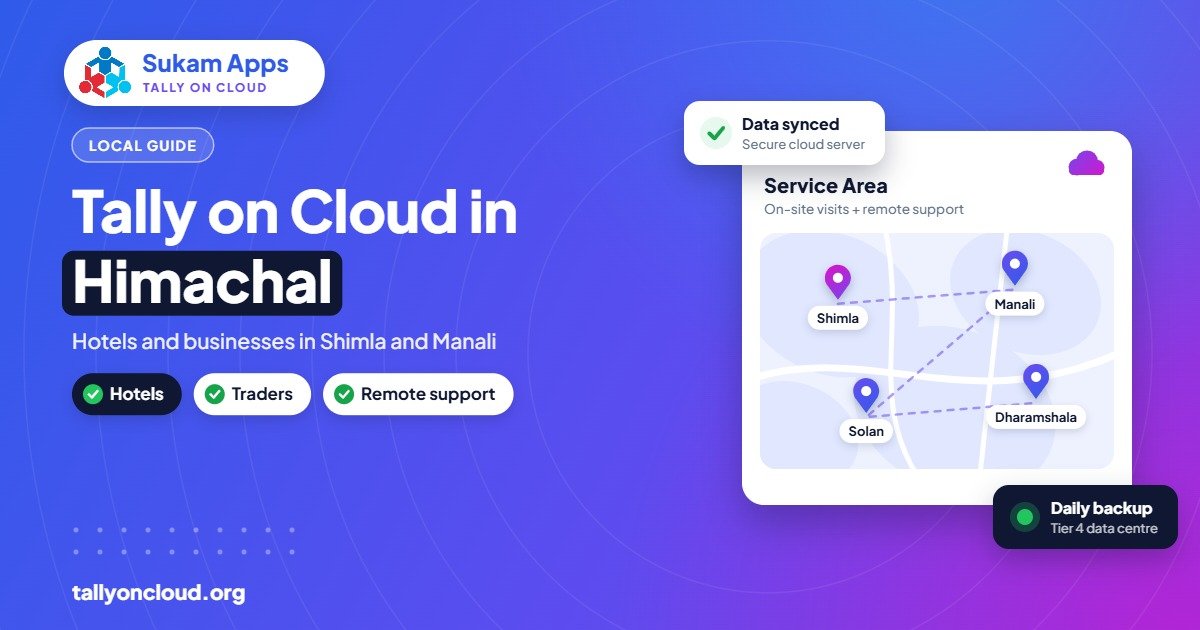
Using Tally for hotels in Himachal works best when TallyPrime runs on a cloud server, because hill properties are usually managed by owners who live in Chandigarh, Delhi or elsewhere for part of the year. With Tally on Cloud, the manager in Shimla, Manali or Dharamshala enters data on site, while the owner and CA see the same books from wherever they are. Sukam Apps sets this up with your own Tally licence and supports you through a dedicated account manager.
This guide covers how hotels, homestay groups and other businesses in Himachal can organise their accounts in TallyPrime, and how to deal with the realities of the hills: seasons, distance and patchy connectivity.
The Himachal Problem: Property in the Hills, Owner Elsewhere
A typical Himachal hospitality business looks like one of these:
- A family-run hotel in Shimla or Kufri, where the owner splits time between the property and a home in the plains.
- Two or three properties, say one in Manali, one in Kasol and one in Dharamshala, run by separate managers.
- A cottage or homestay group in Kullu valley, Chail or Kasauli, with bookings through online travel portals.
- A hotel with a restaurant, café or banquet hall that runs year-round, while rooms peak in summer and around snowfall.
Without cloud access, the books sit on a computer at the property. The owner gets updates by phone or WhatsApp photos of registers, and the CA receives data once a quarter. Mistakes are found late, and cash control depends entirely on trusting the manager. Tally on Cloud fixes the visibility problem without changing who does the entry.
How to Set Up Hotel Accounts in TallyPrime
Tally is your accounting system, not your front desk
Be clear about this from the start. TallyPrime is not a property management system. It does not manage room allocation, check-in or guest folios. Most hotels either use a separate front-desk software or a register, then post a daily summary into Tally. That is the right way to work: front desk for guests, Tally for money, GST and stock.
One company, multiple properties
If all properties belong to the same business entity, keep one company and use cost centres for each property. Expenses, revenue and salaries can then be allocated, and you see property-wise profit. If properties are owned by different entities, they need separate companies, which can still sit on the same cloud server. Our guide on Tally on Cloud for multi-branch businesses explains this choice in detail.
Revenue ledgers
Create separate income ledgers for room revenue, food and beverage, banquets, laundry, travel desk and any other source. GST rates on hotel rooms depend on the tariff, and food services have their own rates, so set the tax classification of each ledger with your CA. When the daily summary is posted, GST is calculated correctly without the manager having to think about it.
Advance bookings
Advances received for future stays are not revenue yet. Record them in an advance-from-customers ledger, then adjust when the guest checks in. During peak season, when advances for June arrive in March, this keeps your monthly profit honest.
Online travel portal payouts
Bookings through online travel portals usually arrive as payouts after the portal deducts its commission and, often, some taxes. Record the gross booking, the commission as an expense and the deductions in their own ledgers. Then reconcile the payout with the bank. If you post only the net amount received, your revenue and GST figures will not match.
Kitchen and store stock
Groceries, vegetables, beverages, linen and toiletries can be tracked as stock items in a store godown. Purchases go into the store, issues go to the kitchen or housekeeping. Full recipe-level costing is heavy for small hotels, but a monthly store reconciliation already shows where leakage is happening.
Seasonal Staff and Payroll
Hill hotels add staff for the season and reduce them in the off months. If you run payroll in TallyPrime, create employees with joining and leaving dates so seasonal staff can be paid correctly and do not clutter reports later. Keep staff advances, which are common in hotels where staff live on site, in a separate ledger for each person, and adjust them against salary.
If you would rather keep payroll elsewhere, post a monthly salary journal by property cost centre. Either way, the owner sees staff cost per property.
Connectivity in the Hills: What Works
This is the question every Himachal owner asks first. The honest answer: Tally on Cloud is better suited to weak internet than many other cloud software, because it runs on a remote desktop connection. Only screen changes and keystrokes travel, not your data file.
- Keep two connections. A broadband line plus a 4G dongle or phone hotspot from a different network. When one goes down in a storm, switch to the other.
- Your data is safe when the line drops. The data is on the server, not your local computer, so an internet cut or a power failure at the property does not damage the books. Reconnect and continue.
- Enter at quieter hours if needed. In peak tourist weeks, mobile networks in popular spots can get congested in the evening. Posting the daily summary early in the morning often works better.
- Use a laptop over a phone for entry. A phone is fine for the owner to check reports, but data entry is easier on a laptop.
Our post on internet speed for Tally on Cloud has more detail on bandwidth, latency and router settings.
Control for Owners Who Are Not on Site
| Concern | How Tally on Cloud helps |
|---|---|
| Is today’s cash being recorded? | Daily cash book visible to the owner the same evening |
| Which property is profitable? | Cost centre reports by property |
| Are entries being changed later? | TallyPrime Edit Log records who changed what |
| Can the manager see everything? | Security controls limit each user to required screens |
| What if the property computer fails? | Data is on the server with daily backups; any device can log in |
Other Himachal Businesses
The same approach works for other businesses in the hills: apple traders and cold stores, travel agencies in Manali and Dharamshala, adventure operators, and wholesale suppliers in Shimla, Solan and Mandi who supply hotels. Each has the same pattern of a site that is hard to reach and people who need data from elsewhere. Pharma and industrial units in the Baddi-Barotiwala-Nalagarh belt have their own needs, covered in our Baddi and Solan pharma guide.
How Sukam Apps Supports Himachal Clients
We provide on-site setup and staff training in Himachal’s Baddi and Solan belt, and in Chandigarh Tricity, which is where many hill-property owners have their base. For properties further up in Shimla, Manali, Kullu or Dharamshala, we set up remotely and train your manager over a screen-share session in Hindi or Punjabi, and your dedicated account manager stays on call through the season. Your own TallyPrime licence is used; we set up the server, backups, printing and user rights.
Frequently Asked Questions
Can TallyPrime work as hotel management software?
No. TallyPrime is accounting, GST and inventory software. It does not handle room allocation or check-in. Use a front-desk system or register for guests and post daily summaries into Tally for accounts.
How do I manage two hotels in different towns in one Tally?
If both belong to the same business entity, use one company with a cost centre for each property. If they are separate entities, use separate companies on the same cloud server. Either way, the owner sees both from one login.
Will Tally on Cloud work in Manali or Kasol with weak internet?
Generally yes, because remote desktop uses little bandwidth. Keep a second connection from a different network as backup, and avoid entering data at the most congested evening hours.
How should I record online travel portal bookings in Tally?
Record the gross booking as revenue, the portal’s commission as an expense and any taxes deducted in separate ledgers, then reconcile the net payout with your bank statement. Confirm the GST treatment with your CA.
Can the owner check hotel accounts from a phone?
Yes. Tally on Cloud can be opened from Android or iPhone using a remote desktop app. It is best for checking reports; data entry is easier on a laptop.
Bring Your Himachal Property’s Books Online
Sukam Apps has been helping North Indian businesses with software since 2011. We set up your licensed TallyPrime on a secure cloud server, configure property-wise accounts with your CA, and give you a named account manager rather than a call-centre queue. On-site help is available across Punjab, Haryana, Chandigarh Tricity, Delhi NCR and Himachal’s Baddi-Solan area. WhatsApp +91 99142 49191 for a free demo and a quote for your user count, or contact us here.