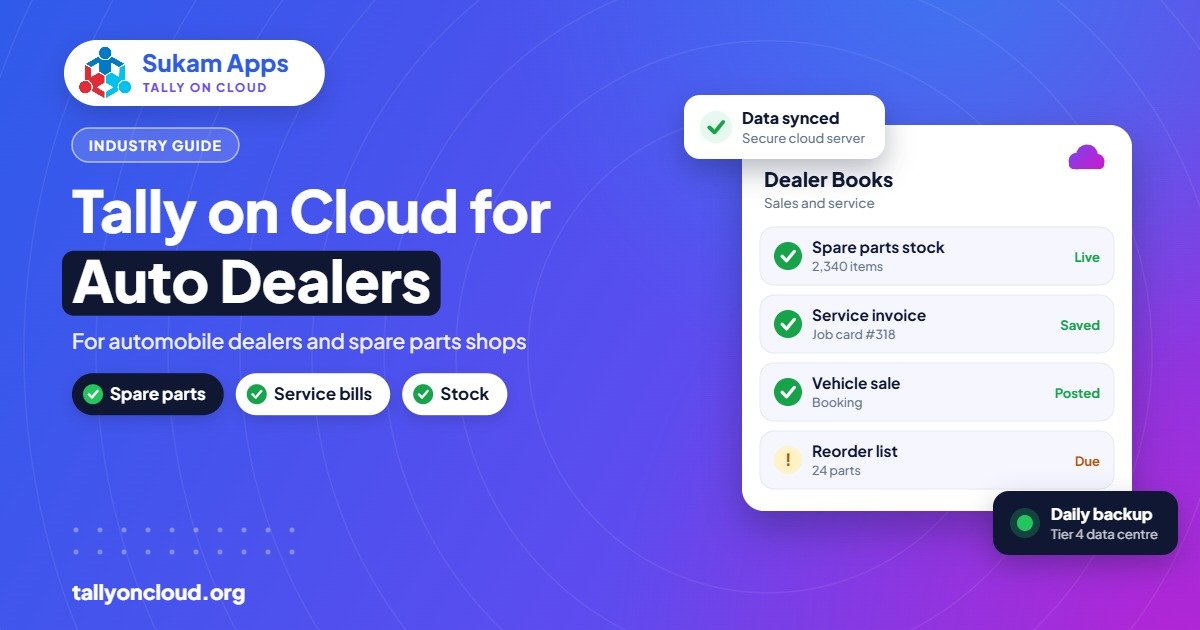
Tally for automobile dealers needs three things done well: every vehicle tracked individually by chassis and engine number, thousands of spare parts managed by part number and location, and workshop jobs billed with both parts and labour. TallyPrime handles all three, and on the cloud your showroom, workshop, parts counter and branch outlets work on one live set of books. This guide explains the setup.
It is for two-wheeler and car dealers, tractor dealers (common across Punjab and Haryana), used-vehicle traders, multi-brand workshops and spare parts wholesalers and retailers, such as a tractor parts shop in Moga or a two-wheeler dealer with sub-dealers around Sangrur.
Why vehicle businesses need a different setup
A normal trader sells “50 units of item X”. A vehicle dealer sells one particular vehicle, with its own chassis number, engine number, colour and sometimes a different price because of accessories or a discount. On the parts side, the problem flips: you have thousands of small items with confusing part numbers, alternate numbers and different rack locations.
Add the workshop, where one job card has parts, labour, consumables, and sometimes warranty claims, and you have three businesses inside one.
Vehicle stock with chassis and engine numbers
TallyPrime’s batch feature can be used to track each vehicle individually. Many dealers use the batch field for the chassis number, and capture engine number and other details as additional fields through a small TDL customisation.
- Create stock items by model and variant, such as “Model A – Disc – Red”. Some dealers keep colour as a separate item; others keep it in the batch details. Choose one and stay consistent.
- Enable batches for vehicle items. On purchase from the manufacturer, enter each chassis number as a separate batch with quantity 1.
- On sale, select the exact chassis. The invoice prints the chassis number, and your stock report shows exactly which vehicles remain.
- Use godowns for showroom, yard, sub-dealer locations and vehicles in transit.
A batch-wise stock report then becomes your “vehicles in stock” register: every unsold chassis, where it is and how long it has been there. Ageing matters, because a vehicle sitting six months ties up capital and may need a discount to move.
If you need engine number, key number and battery number printed on the invoice, ask for a TDL add-on. Our guide on loading TDL add-ons on Tally on Cloud explains how customisations work on a cloud server.
Vehicle sales: finance, insurance and accessories
A typical vehicle sale has more moving parts than the invoice suggests:
- Down payment from the customer, often in parts.
- Loan amount from a bank or NBFC, received days later.
- Insurance arranged through the dealer.
- Registration charges collected and paid to the transport authority.
- Accessories fitted before delivery, sometimes free as part of an offer.
A clean way to handle this in TallyPrime:
- Record customer advances against the customer ledger as soon as money comes in.
- Create the vehicle sale invoice to the customer for the full value.
- Record the financer’s share as receivable from the financer ledger, using a journal that moves that amount from the customer to the financer.
- Keep separate ledgers for registration charges collected and paid, so you can see if anything is pending.
- Book free accessories as a sales promotion expense or through a zero-value line, as your CA advises.
A financer-wise outstanding report then shows every loan disbursement still awaited, which is often a surprisingly large figure.
Spare parts inventory
Parts businesses live or die by inventory control. TallyPrime can handle a large catalogue if you set it up thoughtfully:
- Use the part number as the item name or alias. Billing staff can then search by part number or description. On TallyPrime 7.0 and later, SmartFind also helps locate items by partial or approximate names; see SmartFind in TallyPrime 7.0.
- Stock groups by vehicle model or by category (engine, brake, electrical, body), whichever matches how your staff think.
- Godowns for rack locations if your store is large, or at least for main store versus counter versus workshop store.
- Reorder levels for fast-moving parts like filters, brake shoes and bulbs, so the purchase person sees what needs ordering.
- Price levels for retail customers, workshops and sub-dealers.
Dead stock is the hidden killer in parts. Review a movement analysis every quarter, and return or liquidate parts that have not moved for a year.
Workshop and job cards
Most dealer workshops use the manufacturer’s DMS or a separate workshop software for job cards. If yours does, TallyPrime receives a daily summary like any other source. If you run an independent workshop without such software, TallyPrime can handle simple job billing:
- Parts issued to a job from the workshop godown as items on the invoice.
- Labour charges as a service ledger on the same invoice, with the applicable GST set up as your CA advises.
- Outside work (painting, denting given to another workshop) booked as purchase and recharged to the customer.
- Warranty jobs: parts and labour claimable from the manufacturer recorded against a “warranty claim receivable” ledger, cleared when the manufacturer’s credit note arrives.
Use cost centres to see whether the workshop and the parts counter each make money on their own, separately from vehicle sales.
Branches, sub-dealers and the cloud
Many dealers run a main showroom plus sub-dealers or branch outlets in nearby towns. Here is how the options compare:
| Need | Office server | Tally on Cloud |
|---|---|---|
| Branch checks which chassis is available | Phone call to main showroom | Sees live stock report |
| Owner checks daily sales from home | Remote tools or wait for reports | Logs in from phone or laptop |
| Accountant and CA access | On-site only or data copies | Same data, from their office |
| Data safety | One server, local backups | Server-side daily backups as part of a good setup |
Your existing TallyPrime licence works on the cloud. If several locations will enter data at the same time, you need a multi-user (Gold) licence. For structuring branches, see Tally for multi-branch businesses.
Compliance points worth noting
- E-invoicing applies if your aggregate annual turnover is above ₹5 crore, which many vehicle dealers cross quickly given ticket sizes. TallyPrime supports connected e-invoicing; an IRN can be cancelled on the IRP only within 24 hours.
- E-way bills are generally needed for goods movement above ₹50,000, so most vehicle transfers to sub-dealers need one.
- Audit trail: if you are a company, the edit log requirement applies from 1 April 2023, and TallyPrime’s Edit Log covers it.
- GST rates and any cess on vehicles are specific and change from time to time; get them confirmed by your CA and set them on the stock items.
Frequently Asked Questions
Can Tally track vehicles by chassis number?
Yes. Enable batches for vehicle items and use the chassis number as the batch name. Each vehicle becomes a batch of one, and batch-wise reports show every unsold vehicle.
Can Tally print engine number on the invoice?
Standard TallyPrime does not have a dedicated engine number field. A small TDL add-on can add engine number, key number and other details to the invoice. These work on Tally on Cloud too.
How do I handle the bank finance part of a vehicle sale?
Invoice the customer for the full value, then use a journal to move the loan amount from the customer’s ledger to the financer’s ledger. The financer’s outstanding shows pending disbursements.
Is TallyPrime good for a spare parts shop with thousands of items?
Yes, if items are named consistently with part numbers, grouped sensibly and given reorder levels. SmartFind in TallyPrime 7.0 also helps billing staff find items quickly.
Can my sub-dealer use my Tally?
If the sub-dealer is part of your business, yes, with a restricted user on Tally on Cloud. If it is a separate business, it should keep its own books; you can still share stock visibility through a limited user.
Sukam Apps, Jalandhar has worked with businesses on Tally since 2011, with on-site setup and staff training in Hindi and Punjabi across Punjab, Chandigarh Tricity, Haryana, Delhi NCR and Himachal, and remote setup across India with a dedicated account manager. To see your showroom, parts counter and workshop on one cloud setup, WhatsApp us at +91 99142 49191 for a free demo, or get in touch.