
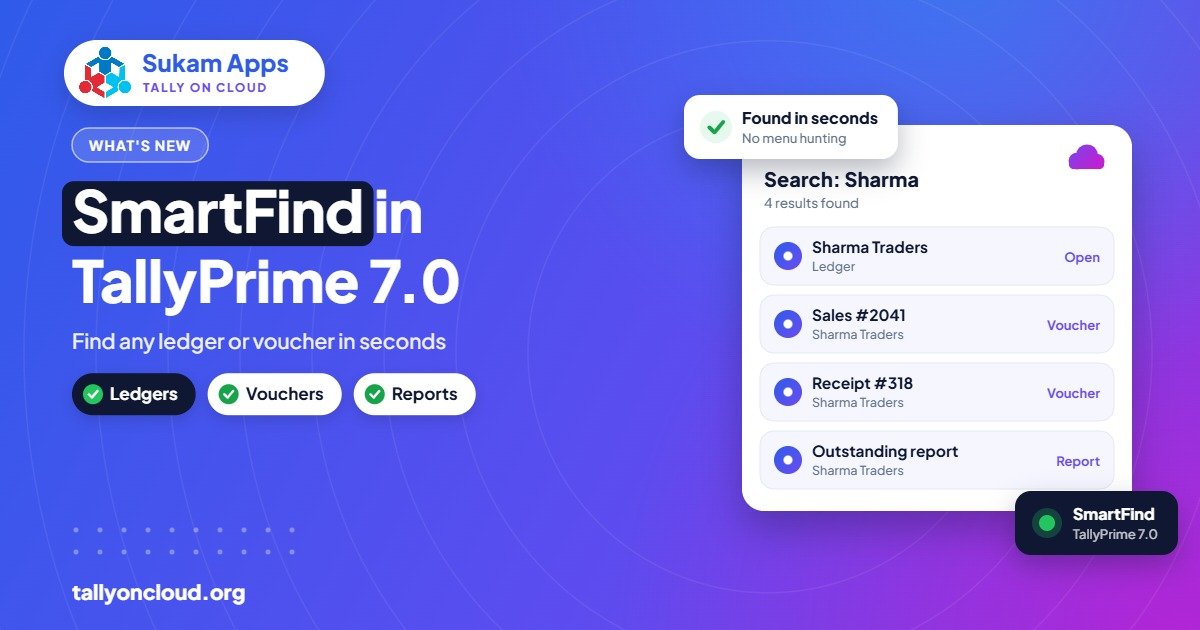
TallyPrime SmartFind is the search feature introduced in TallyPrime 7.0 (released 19 December 2025). It lets you search masters and transactions from any screen, works with partial or approximate spellings, and can look across all the companies you have loaded. For a busy accounts desk, it means less clicking through reports and more “type a few letters and jump straight there”.
This guide explains what SmartFind does, where it helps most, practical search habits that get better results, a few real-world examples from North Indian businesses, and how it behaves on Tally on Cloud.
Want to work even faster? See our complete list of TallyPrime shortcut keys, from F1 to F12 and Alt and Ctrl keys.
Why search matters more than it sounds
Watch an accountant at a Jalandhar sports goods exporter for an hour. A large part of the time is not spent entering vouchers. It is spent finding things:
- “Which ledger did we create for that Delhi buyer, was it with Pvt Ltd or without?”
- “Find the invoice we sent to the Amritsar party last month for around ₹48,000.”
- “Is the stock item called ‘Cricket Ball Leather’ or ‘Leather Ball Cricket’?”
- “Which company did we book this expense in, the proprietorship or the partnership?”
Before SmartFind, answering these meant going to the right report, setting the period, scrolling and filtering. With multiple companies, it often meant opening each company in turn. SmartFind is aimed at shortening this.
What SmartFind does
Based on what Tally has published for 7.0, SmartFind:
- Searches masters: ledgers, stock items and other masters.
- Searches transactions: vouchers you have entered.
- Works from any screen, so you do not need to go back to the Gateway or a specific report first.
- Accepts partial or approximate spelling, so “sharma trd” or a slightly misspelt name can still find “Sharma Traders”.
- Searches across loaded companies, useful for CAs and for groups with several firms.
The exact key to open SmartFind, the filters available and how results are displayed may differ between releases. Check the TallyPrime help for the exact shortcut and options in your version rather than relying on screenshots from older builds.
Search habits that get better results
These are general tips that apply to any search inside accounting software. Try them with SmartFind and see what works best in your version.
1. Start short, then add
Type the most distinctive part of the name first, such as “gobind” rather than “M/s Gobind Steel Rolling Mills Pvt Ltd”. If you get too many results, add a second word.
2. Use the unusual word
“Traders”, “Enterprises” and “Industries” appear in hundreds of ledger names. The family name, place name or brand is usually more distinctive. Search “kapoor” or “phagwara”, not “traders”.
3. Try a number when you have one
If you remember an invoice number, an amount or part of a GSTIN, try searching with it. Whether a particular field is searched can depend on your version, so test it once with a known voucher to learn what works.
4. Load the right companies first
Since SmartFind searches across loaded companies, a company that is not loaded will not appear in results. If you are a CA firm looking for something across clients, load the relevant companies before searching.
5. Clean up master names once
Search works best when names follow a consistent pattern. A one-time clean-up is worth it: decide whether you write “Pvt Ltd” or “Private Limited”, whether place names go at the end, and how you name similar items. Use aliases for alternate names your staff use, such as a Punjabi or Hindi short name for a regular buyer.
Examples from real businesses
Wholesale trader in Amritsar
A customer calls: “Bhaji, last month’s bill, the one with the rice bags, I need a copy.” The billing person searches the customer’s name, opens the relevant voucher and shares the PDF while still on the call. No report navigation, no “I will call you back”.
Spare parts shop with thousands of items
Part names are long and inconsistent. A mechanic asks for “clutch plate for the old model”. Searching “clutch” with a partial model name narrows thousands of items to a handful. For more on parts setups, see Tally for automobile dealers and spare parts shops.
CA firm in Chandigarh
During GST season, an article assistant needs to find a specific purchase entry but is not sure which of the client’s two firms it was booked in. With both companies loaded, one SmartFind search across them answers it. Our guide on Tally on Cloud for CA firms covers multi-client working in more detail.
Manufacturer in Baddi
The purchase head wants to check whether a raw material master already exists before creating a new one. Searching with a partial name shows close matches, which helps avoid duplicate masters like “Lactose Monohydrate” and “Lactose Mono Hydrate” sitting side by side.
SmartFind and duplicate masters
That last example is one of the quieter benefits. Duplicate ledgers and stock items cause real damage: split outstanding, wrong stock figures, confused GST reports. When staff can quickly see that something similar exists, they create fewer duplicates.
Make it a rule: search before you create. Before creating any new ledger or stock item, search for it first. Combined with restricting master creation to a few trusted users, this keeps your data cleaner year after year.
What SmartFind does not replace
- Reports. SmartFind finds things; it does not replace the outstanding report, stock summary or GST reports for analysis.
- Good naming. Approximate matching helps with typos, but a ledger named “ABC” for a party called Sharma Traders will still be hard to find.
- User rights. What a user can see should still be controlled by TallyPrime’s security settings. Check how search results respect user permissions in your version before giving wide access.
SmartFind on Tally on Cloud
Tally on Cloud is your own licensed TallyPrime running on a remote server, so SmartFind works there once the server is upgraded to 7.0 or later. A few practical notes:
- Upgrade is handled by your provider. A good provider takes a backup, upgrades the server copy, checks your TDL add-ons and then lets you in.
- Search speed depends on the server, not your laptop. On a properly sized server, searches across large data feel the same whether you log in from Jalandhar, Delhi or a phone on 4G. If searches feel slow, the cause is more likely server load or your connection; see fixes for slow Tally on Cloud.
- It is especially handy on a phone. On a small screen, navigating reports is tedious. Typing a few letters to jump to a ledger is much faster.
- TSS is needed for the upgrade. New releases after the first year require an active TSS.
| Task | Without SmartFind | With SmartFind |
|---|---|---|
| Open a ledger while in another report | Go back, navigate to the ledger | Search from the current screen |
| Find a voucher when unsure of company | Open each company, search each | Search across loaded companies |
| Name misspelt or half remembered | Scroll lists | Partial or approximate match |
| Check if a master already exists | Scroll and guess | Search before creating |
Frequently Asked Questions
Which TallyPrime version has SmartFind?
SmartFind was introduced in TallyPrime 7.0, released on 19 December 2025. You need to upgrade to 7.0 or later, which requires an active TSS if your licence is beyond its first year.
Can SmartFind search across multiple companies?
Yes, it searches across the companies you have loaded. Companies that are not loaded will not appear in the results.
Does SmartFind work if I spell the name wrong?
It is designed to handle partial and approximate spellings, so minor mistakes usually still find the right item. Very different spellings or abbreviations may still need an alias on the master.
What is the shortcut key for SmartFind?
Shortcuts can change between releases, so check the TallyPrime help in your installed version for the exact key and options.
Does SmartFind work on Tally on Cloud and on mobile?
Yes. It is part of TallyPrime, so it works on a hosted server running 7.0 or later, including when you connect from a phone or tablet.
Sukam Apps, Jalandhar has helped businesses with Tally since 2011, with upgrades, add-on testing and staff training in Hindi and Punjabi on-site across Punjab, Chandigarh Tricity, Haryana, Delhi NCR and Himachal, and remote support across India with a dedicated account manager. Want to try SmartFind on your own data in the cloud? WhatsApp us at +91 99142 49191 for a free demo, or contact us.





