
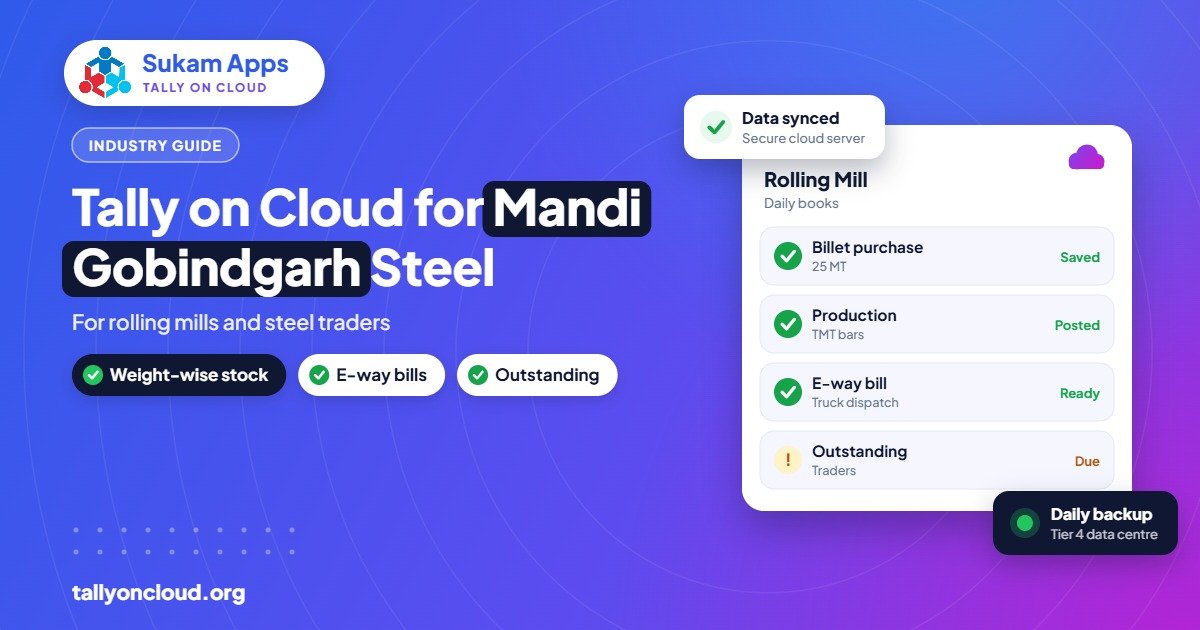
Using Tally for steel industry work in Mandi Gobindgarh means handling weight-based billing, scrap and by-products, job work rolling, and an e-way bill on almost every truck, often across a furnace unit, a rolling mill and a trading office. TallyPrime can manage all of this with alternate units, actual-versus-billed quantity, job work vouchers and godowns. Running it on cloud lets the mill, the weighbridge office and the owner’s office all work in one live set of books.
This guide is written for re-rolling mills, induction furnace units and steel traders around Mandi Gobindgarh, Khanna, Amloh and Sirhind, and for anyone whose day revolves around tonnes, rates and trucks.
How a Steel Business Here Usually Runs
Mandi Gobindgarh’s steel economy is built on melting and re-rolling. Scrap comes in by truck, goes into induction furnaces to become ingots or billets, and rolling mills turn those into TMT bars, rounds, angles, channels, flats and strips. Many owners have more than one link in this chain: a furnace in one firm, a mill in another, and a trading firm that sells finished material to dealers across Punjab, Haryana, Himachal and J&K.
Some typical features of the books:
- High value, low margin. A small rate or weight difference on a truck matters.
- Rates change daily, sometimes more than once a day.
- Material moves between own units and to job workers for rolling.
- Weight at the seller’s weighbridge and the buyer’s weighbridge rarely match exactly.
- Plenty of by-products: mill scale, end cuts, miss-rolls, slag and melting loss.
Plain accounting software struggles with this. TallyPrime handles most of it with standard features, provided it is set up correctly from day one.
Weights, Units and Rates in TallyPrime
Alternate units
Steel is traded in tonnes or quintals but counted in pieces or bundles at times. Set stock items with a main unit (for example MT or Kg) and an alternate unit (pieces or bundles) with a conversion where it is reasonably fixed, such as a particular section and length. Where the ratio varies, enter both quantities on the voucher.
Actual and billed quantity
TallyPrime’s option to record actual quantity and billed quantity separately is useful here. If 25.340 MT left your weighbridge but the buyer accepts billing at 25.300 MT, stock reduces by the actual weight while the invoice shows the agreed weight. Over a year this keeps your stock in line with physical reality.
Item naming
Decide a naming pattern before creating items: product, size, grade. For example “TMT 12mm Fe500D” or “Angle 50x50x5”. Use stock groups for product families and stock categories for grades or brands. A clean item list makes stock summary and rate analysis readable instead of a scroll of near-duplicates.
Daily rates
Price lists in TallyPrime can hold rates with effective dates, which helps billing staff use the day’s rate without asking. Owners who fix rates by phone each morning can update the price list once on cloud, and every billing user sees it immediately.
Scrap, By-Products and Yield
Melting and rolling both produce outputs other than the main product. TallyPrime’s manufacturing features let you define a bill of materials with by-products and scrap, and record production through a manufacturing journal or stock journal. For example, a rolling entry might consume billets and produce TMT bars plus end cuts and mill scale, with the shortfall recorded as process loss.
Doing this regularly gives owners a number they care about: yield. If billets in versus bars out drifts by a fraction of a percent, a stock and production report from Tally shows it early, instead of at the year-end stock count.
Scrap purchases and sales also have specific tax treatment under GST and income tax rules, including TCS provisions on scrap sales. These rules have changed over time, so have your CA confirm the ledger and tax setup, and keep it updated in Tally when rules change.
Job Work Rolling and Inter-Unit Movement
Many traders and furnace owners send billets to another mill for rolling on a conversion charge. TallyPrime supports job work out (material sent) and job work in (material received for processing), with job work orders and stock tracked at the job worker’s location.
- If you send billets out for rolling, record a material-out against a job work order, then receive finished goods and scrap back with the conversion bill.
- If your mill rolls for others, record material-in, track it separately from your own stock, and bill only the conversion charge.
This separation is important. Without it, a mill’s stock summary mixes its own billets with customers’ billets, and nobody can say what is actually owned. Read more in our multi-branch Tally guide on using godowns for different locations.
E-Way Bills on Nearly Every Truck
An e-way bill is generally required when goods worth more than ₹50,000 move, and almost every steel consignment crosses that. TallyPrime can generate e-way bills from the invoice once e-way bill settings are configured, with vehicle number and transporter details captured on the voucher. Firms with turnover above ₹5 crore also need e-invoicing, and TallyPrime’s connected e-invoicing (improved since version 4.0) generates the IRN from the invoice itself. Remember that an IRN can be cancelled on the portal only within 24 hours.
On cloud, the billing clerk at the mill gate and the accountant at the office both work in the same data, so the e-way bill and invoice details are never re-typed. Our step-by-step guide to generating e-way bills from TallyPrime covers settings and common errors.
Why Cloud Suits Steel Units Specifically
| Situation | Office computer Tally | Tally on Cloud |
|---|---|---|
| Mill, furnace and trading office at different sites | Separate copies, sent across later | One live company, all sites connected |
| Weighbridge office billing at night shift | Needs the office PC switched on | Logs in from its own computer any time |
| Owner checking rates and outstanding | Calls the accountant | Opens Tally from phone or laptop |
| Dust, heat and power cuts at mill | Local hard disk at risk | Data sits on server with daily backups |
| CA reviewing books | Needs a data copy | Given a separate login with limited rights |
The point about dust and heat is not minor. Computers in mill offices fail more often than in clean offices. When Tally runs on the cloud, a dead office computer means borrowing another machine and logging in, not a data recovery job.
Controls That Matter for Steel Businesses
- Restrict rate changes. Only senior users should alter rates on posted invoices.
- Use the Edit Log. TallyPrime records changes to vouchers. Companies covered by the audit trail rules (since 1 April 2023) need it anyway; it also discourages quiet weight edits.
- Separate logins for weighbridge, billing and accounts, each with only the vouchers they need.
- Reconcile party weights monthly. Use actual-versus-billed quantity reports to spot regular shortfalls with particular buyers or transporters.
- Daily backups kept for several days, so a mistaken deletion can be recovered.
Getting Started Without Disturbing Dispatch
Steel dispatch does not stop, so plan the move around it. Freeze item and party masters, clean duplicates, and move data on a holiday or Sunday. Train billing and weighbridge staff first, since they handle the most entries. Keep the old computer’s Tally as read-only for reference for a few weeks. With a sensible plan, the switch takes a day, not a week.
Frequently Asked Questions
Can TallyPrime handle billing in tonnes and pieces together?
Yes. Stock items can have a main unit and an alternate unit, such as MT and pieces, and vouchers can record both. Actual and billed quantity can also be tracked separately.
Does Tally support job work for rolling mills?
Yes. TallyPrime has job work in and job work out features with job work orders, so material sent for rolling or received from customers is tracked separately from your own stock.
Can our weighbridge office and head office use the same Tally?
Yes. On cloud, both log in to the same company from their own computers, with separate user rights. A Gold licence is needed for multiple simultaneous users.
Can e-way bills be generated from Tally on Cloud?
Yes. E-way bill and e-invoice features of TallyPrime work the same on a cloud server as on an office computer, since TallyPrime connects to the portals over the internet.
Do you provide on-site setup in Mandi Gobindgarh?
Yes. Sukam Apps provides on-site setup and staff training across Punjab, including the Mandi Gobindgarh and Khanna belt.
Set Up Tally on Cloud for Your Mill or Trading Firm
Sukam Apps, based in Jalandhar and working since 2011, sets up Tally on Cloud with on-site training in Hindi and Punjabi across Punjab, Chandigarh Tricity, Haryana, Delhi NCR and Himachal. Every client gets a dedicated account manager. WhatsApp +91 99142 49191 for a free demo and a quote for your user count, or visit our home page.





