
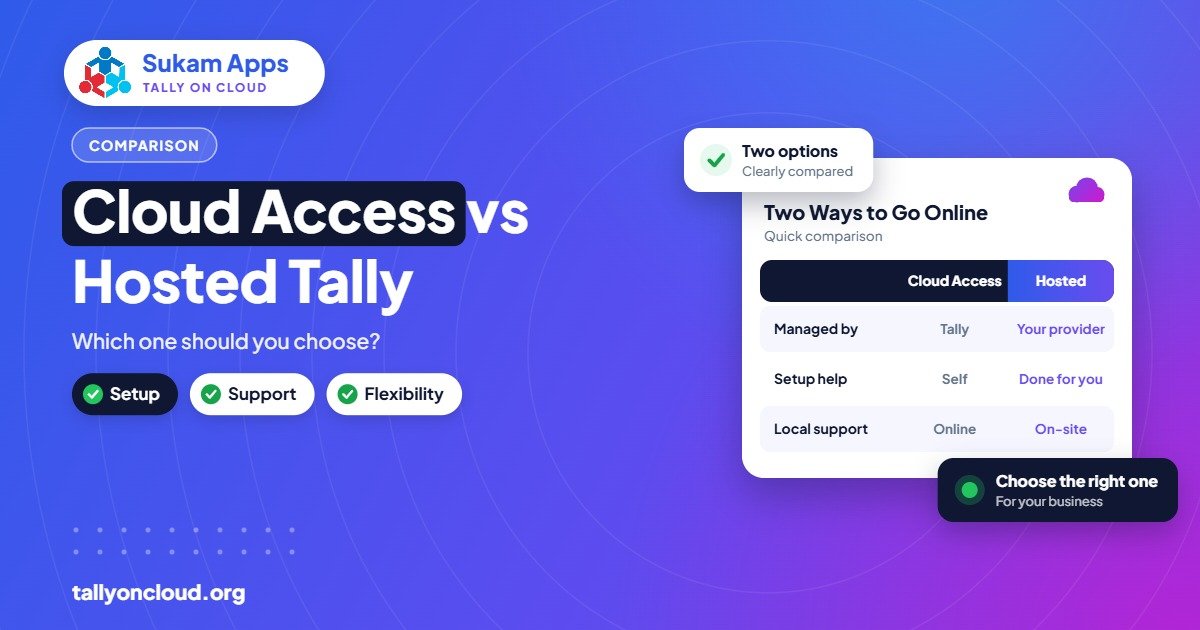
TallyPrime Cloud Access is Tally Solutions’ own cloud service, starting from ₹600 per user per month; hosted Tally on Cloud is your licensed TallyPrime running on a provider-managed Windows server that you reach through remote desktop or a browser. Both are legitimate. Cloud Access suits businesses that want an official, standard setup; hosted Tally suits those who need TDL add-ons, other software on the same server, or hands-on local support.
Below is a fair, side-by-side look so you can pick the one that fits how your business actually works.
Two Different Ways to Put Tally in the Cloud
The names sound almost identical, which is why so many owners get confused. Here is the simplest way to separate them.
TallyPrime Cloud Access
This is an offering from Tally Solutions itself. You subscribe, and TallyPrime is made available to you through Tally’s own cloud service. Pricing starts from ₹600 per user per month, excluding GST. Because it comes from the software maker, it is designed around standard TallyPrime use and is sold through Tally’s partner network.
Hosted Tally on Cloud
Here, a service provider sets up a cloud Windows server, installs your licensed TallyPrime on it, and gives each of your users a secure login. You connect using RDP, RemoteApp or a browser, from Windows, Mac, Android or iPhone. The provider looks after the server: backups, Windows security, TDL add-ons and printer mapping. Most providers charge roughly ₹400–₹700 per user per month for shared plans, with your licence and TSS separate.
In short: one is a product from Tally; the other is a managed service built around Tally.
TallyPrime Cloud Access vs Tally on Cloud: Comparison Table
| Factor | TallyPrime Cloud Access | Hosted Tally on Cloud |
|---|---|---|
| Offered by | Tally Solutions (via partners) | Independent service provider |
| Starting price | From ₹600/user/month (excl. GST) | Roughly ₹400–₹700/user/month for shared plans; dedicated servers cost more |
| Licence | Check bundling and terms with Tally/partner | Your own Silver/Gold licence, owned or rented |
| TDL add-ons and customisations | Confirm support for your specific TDLs with Tally | Loaded on the server like a normal PC install |
| Other software on the same machine | Focused on TallyPrime | Possible, especially on a dedicated server |
| Access method | As provided by Tally’s service | RDP, RemoteApp or browser from any device |
| Local printing | As supported by the service | Printer redirection set up by the provider, including dot-matrix/thermal |
| Backups | As per Tally’s service; TallyDrive available with TSS | Server-side daily backups by the provider, plus TallyDrive if you have TSS |
| Support style | Tally’s support and partner network | Depends on the provider; can include on-site training and a named contact |
Always confirm the current terms of both options directly, as features and plans can change.
When TallyPrime Cloud Access Is the Better Fit
There are good reasons to go with Tally’s own service. It makes most sense when:
- You use plain, standard TallyPrime with no custom TDLs or third-party add-ons.
- You want a single vendor for both the software and the cloud, which some owners find reassuring.
- Your team is comfortable with self-service and doesn’t need someone to come over and train them.
- You are starting fresh, for example a newly registered trading firm in Zirakpur with two users and no legacy data.
When Hosted Tally on Cloud Is the Better Fit
A managed hosted server tends to win when your setup has more moving parts:
- You rely on TDL add-ons. A Baddi pharma distributor using a batch-wise stock report TDL, or a Panipat textile exporter with a custom packing list format, needs those files to work exactly as they did on the office PC.
- You run other software alongside Tally. A dedicated cloud server can also host other tools your accounts team uses daily.
- You need special printing. Dot-matrix pre-printed stationery and thermal counter printers need careful setup.
- You want someone local to call. If your accountant prefers to be trained in Punjabi at your own office, a provider with on-site presence matters.
- You already own a licence. Hosting simply moves your existing licence, so you aren’t paying twice for software.
Questions to Help You Decide
Go through these honestly. Your answers will usually point clearly to one side.
- Do you use any TDL file today? Open TallyPrime, go to Help > TDLs & Add-Ons, and check. If the list is not empty, confirm support before choosing.
- How many people work in Tally at the same time? Both options need proper multi-user licensing; hosted setups need a Gold licence for more than one simultaneous user.
- What printers do you bill on? Note the models at every counter.
- Who will fix problems? If the honest answer is “we’ll call someone”, find out who that someone is and how fast they respond.
- Do you need anything other than Tally on that machine? If yes, a hosted server is more flexible.
- What does the total yearly bill look like? Add licence, TSS and hosting for both options over 12 months.
A Simple Example from Punjab
Consider two businesses in Jalandhar.
Business A is a small sports goods trader with one shop, an owner and one accountant. They use standard TallyPrime, a laser printer, and send data to their CA once a month. They don’t use any add-ons. For them, TallyPrime Cloud Access is a clean, simple choice.
Business B is a hand tools manufacturer with a factory, a sales office and a godown. They have six users, a custom invoice TDL, a dot-matrix printer for challans, and the owner checks outstanding from his phone at night. Their accountant needs in-person training. A hosted Tally on Cloud setup fits them better.
Both made the right choice. The tool was matched to the business, not the other way around.
Security and Backups in Both
Whichever option you choose, ask the same security questions: How are logins protected? Is two-factor authentication available? How often are backups taken and how long are they kept? Can you get a full copy of your data at any time?
With active TSS, TallyPrime 7.0 also gives you TallyDrive with automatic background backups, which you can use in either setup as an extra safety net. We cover the full checklist in Is Tally on Cloud safe?
Can You Switch Later?
Yes. Your Tally company data is portable. If you start with one option and outgrow it, you can move to the other. The steps are: take a full backup, surrender or transfer the licence as required, set up the new environment, restore the data, reload any TDLs and test printing. Plan the move for the start of a month, after GST returns are filed.
For the full background on hosted setups, see our Tally on Cloud complete guide, and for a rupee-by-rupee breakdown, see Tally on Cloud price in India.
If you choose the hosted route, our TallyPrime on cloud setup guide walks through every step from backup to go-live.
Frequently Asked Questions
Is TallyPrime Cloud Access the same as Tally on Cloud?
No. TallyPrime Cloud Access is Tally Solutions’ own service. “Tally on Cloud” usually refers to a hosted setup where a provider runs your licensed TallyPrime on a cloud Windows server.
How much does TallyPrime Cloud Access cost?
It starts from ₹600 per user per month, excluding GST. Confirm current plans and what is included with Tally or an authorised partner.
Will my TDL add-ons work on the cloud?
On a hosted Tally on Cloud server, TDLs load just as on a normal PC. For Tally’s own Cloud Access, check support for your specific add-ons before you subscribe.
Which option is cheaper?
It depends on your user count, whether you already own a licence, and what support you need. Compare the full yearly cost, including licence, TSS and hosting, not just the monthly headline.
Can I access both from a phone or Mac?
Hosted Tally on Cloud works on Windows, Mac, Android and iPhone through a remote desktop app or browser. For Cloud Access, check the supported devices with Tally.
Not Sure Which One Fits? Ask Sukam Apps
Sukam Apps, Jalandhar, has been helping businesses since 2011. We’ll look at your users, add-ons and printers and tell you honestly which option suits you. If hosted Tally on Cloud is the right fit, we set it up with your own licence, daily backups and local printing, with on-site training in Hindi or Punjabi across Punjab, Chandigarh Tricity, Haryana, Delhi NCR and Himachal (Baddi, Solan). WhatsApp +91 99142 49191 for a free demo, or contact us.





