
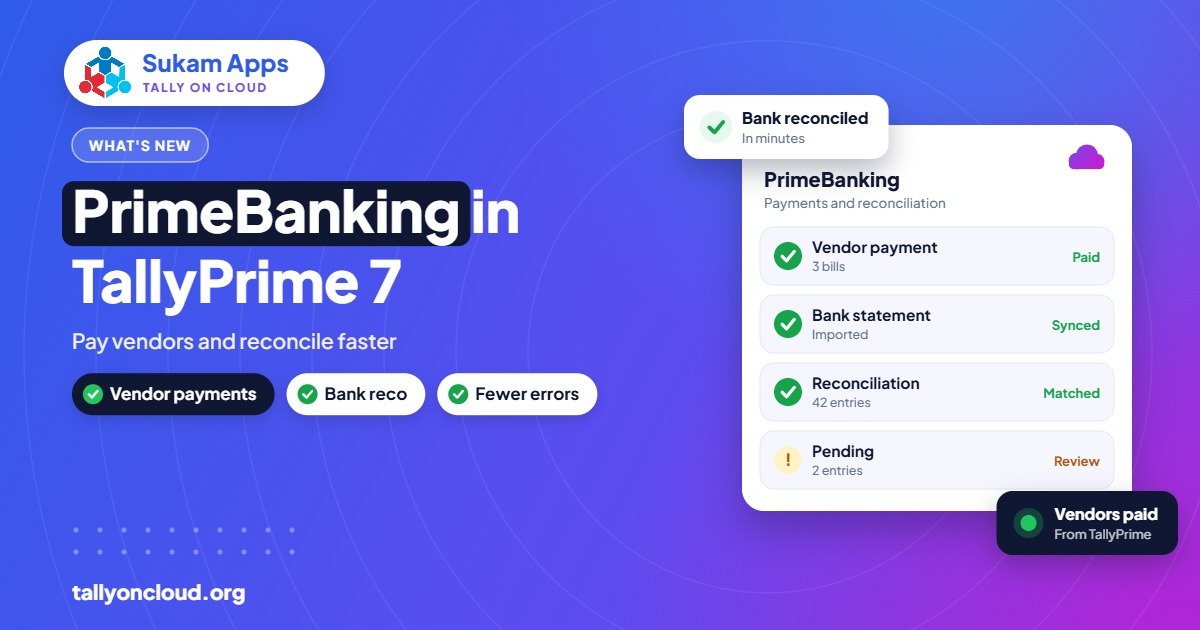
TallyPrime PrimeBanking is the connected-banking feature introduced in TallyPrime 7.0 (released 19 December 2025). It lets you pay vendors from inside TallyPrime, see the payment status with the UTR, and auto-reconcile your books with bank statements. In short, it cuts out the step where your accountant copies payment details from Tally into the bank’s portal and back again.
This guide explains what PrimeBanking does, what the 7.1 release (beta / rolling out) reportedly adds, how to prepare for it, the cautions every business owner should take before allowing payments from accounting software, and how it works when your TallyPrime runs on the cloud.
What problem PrimeBanking solves
Think about how a typical Ludhiana yarn trader or a Mandi Gobindgarh steel unit pays suppliers today:
- The accountant checks outstanding in Tally and makes a list of who to pay.
- The owner approves the list, often on WhatsApp.
- Someone logs in to net banking and enters each beneficiary and amount, or prepares a bulk upload file.
- After payment, the accountant enters payment vouchers in Tally, usually without the UTR.
- At month end, someone downloads the bank statement and ticks off entries during bank reconciliation.
Each step involves retyping, and each retype is a chance for a wrong amount, a wrong account or a missed entry. PrimeBanking aims to collapse steps 3, 4 and 5 into a flow that starts and ends inside TallyPrime.
What PrimeBanking does in TallyPrime 7.0
Based on what Tally has published for 7.0, PrimeBanking covers three things:
- Vendor payments from TallyPrime. You initiate payments to suppliers from within TallyPrime instead of re-entering them on the bank portal.
- Payment status with UTR. You can see whether a payment went through, along with the UTR (Unique Transaction Reference), which is what your vendor will ask for when they say “payment not received”.
- Auto-reconciliation with bank statements. Transactions in your bank statement are matched with entries in your books, reducing the manual ticking at month end.
Which banks are supported, the exact setup steps and any bank-side registration required can vary and may change with updates. Check the TallyPrime help or Tally’s official website for the current list and the exact menu, and confirm with your bank’s relationship manager what they need from you.
What TallyPrime 7.1 reportedly adds
TallyPrime 7.1 is in beta / rolling out. Among the features reported for it, these relate to banking:
- Connected-banking payments, with ICICI Bank reported as the first bank.
- A bank reconciliation summary, giving a quicker overview of what is reconciled and what is not.
- Bill-wise details while creating vouchers from the bank statement, so a receipt from a customer can be adjusted against the right invoice at the time you create the entry, instead of landing “on account”.
That last point matters a lot to traders. Unadjusted receipts are one of the main reasons outstanding reports become unreliable. Our post on TallyPrime 7.1 features covers the rest of the release.
Before you turn it on: a preparation checklist
Connected banking is only as good as the data behind it. Do these first:
- Update to TallyPrime 7.0 or later with an active TSS. New features after the first year need TSS renewal; see our TSS renewal guide.
- Take a full backup before upgrading. If you use TallyDrive or your cloud provider’s backups, confirm the latest backup exists and can be restored.
- Clean up vendor ledgers. Every supplier you want to pay should have correct bank account number, IFSC and name as per the bank. A wrong IFSC in a ledger used to be a nuisance; with connected payments it becomes a failed or misdirected payment.
- Clear old bank reconciliation. If your bank book has two years of unreconciled entries, auto-reconciliation will be noisy. Bring reconciliation up to date first, at least for the current financial year.
- Talk to your bank. Ask what registration, user setup and approval limits they require for connected banking with Tally.
- Decide who can do what (more on this below).
Safety: the part you must not skip
Moving money from accounting software is powerful, so treat it with the same care as net banking.
Separate the maker and the checker
The person who prepares a payment should not be the only person who can release it. Many businesses already follow this on the bank portal, where the accountant creates and the owner approves. Keep the same principle with PrimeBanking. Check what approval controls are available in the feature and in your bank’s setup, and use them.
Lock down user rights in TallyPrime
- Not every Tally user should see the banking features. Restrict them through TallyPrime’s security controls.
- Restrict who can edit vendor bank details. A changed account number in a ledger is a classic fraud route.
- Use the Edit Log so changes to masters and vouchers are recorded.
Watch for fake “change of bank account” requests
A common fraud in India: a mail or WhatsApp that appears to come from a supplier saying “our bank account has changed, please pay here”. Before updating any vendor’s bank details, confirm with a phone call to a number you already have, not the one in the message.
Secure the device and login
If someone can log in to Tally as the accountant, they may be able to reach the payment screens. Use strong unique passwords, do not share logins between staff, and do not leave Tally open on unattended PCs.
A practical weekly payment routine with PrimeBanking
Here is how a mid-sized distributor or manufacturer could use it, adjusted to whatever your bank and version support:
- Monday: accountant reviews the bills payable report and marks bills due this week.
- Tuesday: accountant prepares payments in TallyPrime against those specific bills.
- Tuesday evening: owner reviews and approves, from the office or remotely.
- Wednesday: accountant checks status and UTRs in TallyPrime, and shares UTRs with vendors who ask.
- Weekly or monthly: auto-reconciliation with the bank statement; the accountant handles only the leftover unmatched items.
The time saved is less about the payment itself and more about the follow-ups: no more “send me the UTR”, “did that payment go”, or month-end hunting for a ₹14,750 entry nobody can explain.
Does PrimeBanking work on Tally on Cloud?
Tally on Cloud means your licensed TallyPrime runs on a remote server, and you access it through RDP, RemoteApp or a browser. Features that are part of TallyPrime itself generally work the same way there, because it is the same software. A few practical points:
- Your provider handles the upgrade. On a hosted setup, the server copy of TallyPrime needs to be on 7.0 or later. A good provider schedules the upgrade, takes a backup first and tests your TDLs afterwards.
- Bank-side requirements still apply. Registration, approvals and any OTP or authorisation steps are between you and your bank. Check whether your bank’s process has device or network requirements and discuss them with your provider before going live.
- Owner approvals get easier. Since the owner can log in to the cloud from a laptop or phone, approving the week’s payments does not require being in the office.
- Bank statements stay with the books. No emailing statements from the owner’s phone to the accountant’s PC.
Treat any provider who says “every feature works exactly the same with zero setup” with healthy caution. The right answer is “we will test it with your bank during a trial”.
PrimeBanking compared with the old way
| Task | Old way | With PrimeBanking |
|---|---|---|
| Vendor payment | Retype in bank portal | Initiated from TallyPrime |
| Payment status / UTR | Check bank portal, copy UTR | Visible in TallyPrime |
| Bank reconciliation | Manual ticking against statement | Auto-reconciliation, handle exceptions |
| Receipt against invoice (7.1) | Often entered “on account” | Bill-wise details while creating from statement |
Frequently Asked Questions
What is PrimeBanking in TallyPrime?
PrimeBanking is the connected-banking feature in TallyPrime 7.0. It lets you pay vendors from TallyPrime, view payment status with UTR, and auto-reconcile your books with bank statements.
Which banks support PrimeBanking?
The supported bank list can change, so check Tally’s official website or the TallyPrime help for the current list. For the 7.1 release, connected-banking payments were reported with ICICI Bank first.
Do I need TSS to use PrimeBanking?
PrimeBanking arrived in TallyPrime 7.0, and new releases after your licence’s first year require an active TSS to upgrade. So in practice, yes, you need TSS to get the version that includes it.
Is it safe to make payments from Tally?
It can be, if you use separate maker and approver roles, restrict who can edit vendor bank details, keep logins individual and verify any change-of-account request by phone. Check what controls your bank requires as well.
Will PrimeBanking work on my Tally on Cloud server?
It is part of TallyPrime, so it runs on a hosted server once that server is on 7.0 or later. Bank-side requirements still apply; test it with your bank during setup before relying on it.
Does auto-reconciliation remove bank reconciliation completely?
No. It matches what it can, and your accountant reviews the unmatched items. It reduces the work, it does not remove the need for a review.
Sukam Apps, Jalandhar has supported Tally users since 2011. We upgrade hosted TallyPrime servers, test add-ons and train staff on new features in Hindi and Punjabi, on-site across Punjab, Chandigarh Tricity, Haryana, Delhi NCR and Himachal, and remotely across India with a dedicated account manager. WhatsApp us at +91 99142 49191 for a free demo of TallyPrime 7 on the cloud, or visit our home page.





