
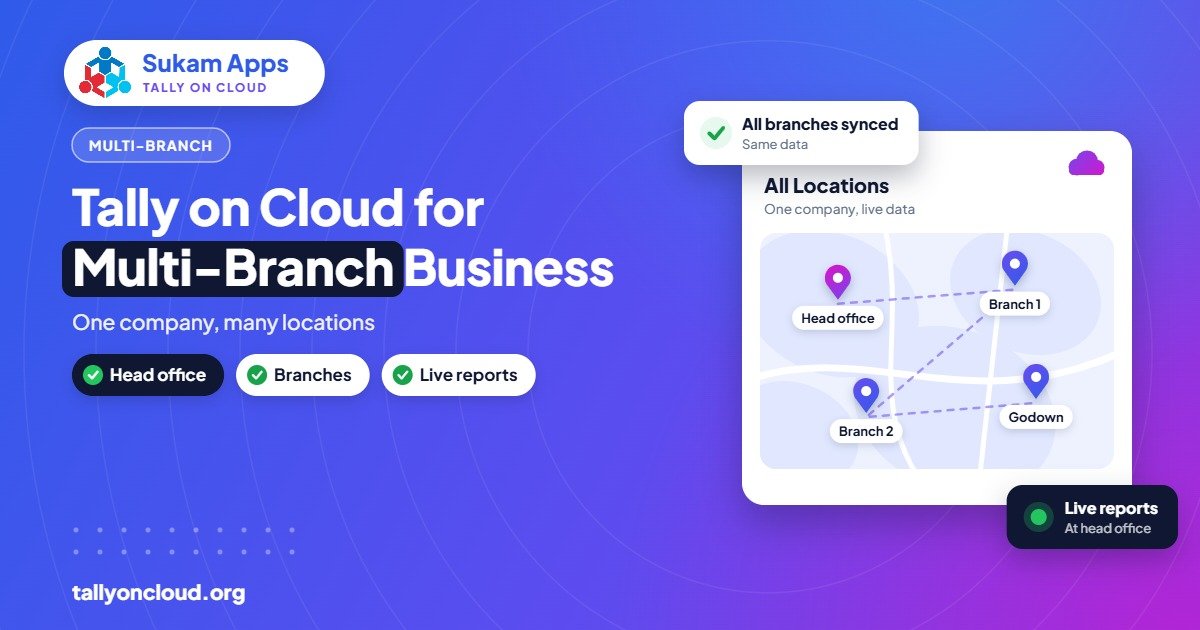
For Tally multi branch accounting, the simplest reliable setup is one TallyPrime company on a cloud server, with each branch shown as its own godown, cost centre and set of voucher types, and each branch’s staff given their own login and limited rights. Every location then posts into the same live data, and head office sees branch-wise and consolidated reports without anyone sending files. If branches sit in different states, TallyPrime 3.0 and later can handle multiple GSTINs inside one company.
This guide covers how to structure branches in TallyPrime, when separate companies make more sense, how to control branch staff, and the reports owners actually use.
The Old Way: Separate Copies That Never Match
A common North Indian setup looks like this: a head office in Jalandhar, a sales depot in Ludhiana, and a small branch in Jammu or Delhi. Each location runs Tally on its own computer. At month-end, someone imports branch data into the head office copy, or worse, re-enters totals by hand.
The problems are predictable:
- Stock transfers are recorded at one end but not the other, so stock never matches.
- Party outstanding differs between branches because a payment received at head office was not passed on.
- Import of data fails because masters were created with slightly different names at two locations.
- The owner has no real-time view. Every question needs a phone call and a wait.
With hosted Tally on Cloud, there is no import and export. Every branch works in the same company on the same server. A transfer entered in Ludhiana is visible in Jalandhar the moment it is saved.
Structuring Tally Multi Branch Data: One Company or Many?
The first decision is whether branches should be parts of one company or separate companies. Both are valid.
| Situation | Recommended structure |
|---|---|
| Same legal entity, same state, shared stock and parties | One company; branches as godowns and cost centres |
| Same legal entity, branches in different states | One company with multiple GSTINs (TallyPrime 3.0+), or one company per GSTIN if your CA prefers |
| Different legal entities (partnership, Pvt Ltd, proprietorship) | Separate companies; use a group company for combined view |
| Branch with fully independent books and its own auditor | Separate company |
Discuss this with your CA before setup. Changing structure after a year of entries is painful. On the cloud, both approaches work equally well, since all companies sit on the same server and authorised users can open whichever they need.
Tools Inside TallyPrime for Branches
Godowns for branch stock
Create one godown (stock location) for each branch, and sub-godowns if a branch has a shop and a store room. Every sale, purchase and transfer then carries the location, and stock summary can be viewed godown-wise. For movements between your own locations within the same GSTIN, a stock journal or a transfer voucher type moves quantity without affecting sales.
Cost centres for branch profit
Godowns track stock; cost centres track income and expenses. Make a cost centre for each branch and allocate rent, salaries, electricity, freight and sales to it. The cost centre break-up report then shows which branch earns and which one only adds overhead. Many owners find this the single most useful branch report.
Branch-wise voucher types and numbering
Create separate sales voucher types such as “Sales – Jalandhar” and “Sales – Ludhiana”, each with its own numbering prefix. Bills from each branch then have their own series, which customers and auditors find easier to follow. You can also set a default godown and cost centre on a voucher type or voucher class so branch staff do not have to choose it every time.
Multiple GSTINs in one company
Since TallyPrime 3.0, one company can hold several GST registrations. A business with a Punjab branch and a Himachal branch can bill under the correct GSTIN from each, with GST reports separated by registration. Movement of goods between your own registrations in different states is generally a taxable supply under GST, so ask your CA how to record it; TallyPrime can support the method they choose.
Branch Users and Security Control
On cloud, each staff member should have two separate identities: a server login (to reach the server) and a Tally user (to open the company). Never share either between people.
With TallyPrime security control enabled, you can create roles such as:
- Branch billing: create sales and receipts, view stock, cannot alter past entries or see profit and loss.
- Branch accountant: post all vouchers, view branch reports, cannot change masters like ledgers’ GST details.
- Head office accounts: full entry and reports across branches.
- Owner: full access, often view-only on mobile.
TallyPrime’s role settings can restrict voucher types and reports, but restricting a user strictly to one godown’s data may need a TDL, depending on how tight you want the separation. A good provider will explain what standard settings achieve and where a TDL helps. Together with the Edit Log (see our audit trail guide), every change is traceable to a named user.
Consolidated and Branch Reports Owners Actually Use
- Stock summary by godown to see which branch is holding slow stock and which needs replenishment.
- Cost centre break-up for branch-wise profit before head office overheads.
- Sales register filtered by voucher type for each branch’s daily and monthly sales.
- Outstanding receivables, optionally by group or by salesman, to chase collections branch by branch.
- Group company reports where branches are separate companies, to see combined balance sheet and profit.
On cloud, the owner can open these from a phone or laptop anywhere. Our guide on using Tally on your mobile phone explains how that works.
Setting It Up: A Practical Sequence
- Clean the masters first. Merge duplicate party ledgers and stock items from the old branch copies. Decide one naming convention.
- Agree the structure with your CA: one company, multi-GSTIN or separate companies.
- Create godowns, cost centres and voucher types for each branch.
- Bring in opening balances branch by branch, with stock by godown.
- Create server logins and Tally users for every staff member, with the right roles.
- Set up printers at each branch so bills print locally. See printing from Tally on Cloud.
- Train each branch on its own screens: which voucher type to use, how to do a transfer, what not to touch.
- Run parallel for a short period if possible, then switch fully.
Starting at the beginning of a month or quarter keeps reconciliation simple.
Practical Issues That Come Up
Internet at branches
A small branch in a market area may have a weak connection. Tally on Cloud uses little bandwidth, but stability matters. Keep a 4G hotspot as backup. See internet speed for Tally on Cloud.
Two people editing the same master
With everyone in one company, a branch user might rename a party ledger head office relies on. Restrict master creation and alteration to one or two head office users.
Transfer discipline
Make it a rule that the sending branch records the transfer and the receiving branch checks it the same day. Because both see the same data, mismatches show up immediately instead of at year-end.
Licences
Multiple people working at once need a TallyPrime Gold (multi-user) licence. One licence on the cloud server serves all branches, which is often cheaper than separate Silver licences at each location.
Frequently Asked Questions
Can different branches use one Tally licence on cloud?
Yes. With a TallyPrime Gold licence installed on the cloud server, users from all branches connect to the same installation, within the concurrent user limits of that licence.
Should each branch be a separate company in Tally?
Only if branches are separate legal entities or need fully independent books. For one business with several locations, one company with godowns and cost centres is usually simpler.
Can TallyPrime handle branches in different states?
Yes. TallyPrime 3.0 and later support multiple GSTINs in one company, so each branch can bill under its own registration with separate GST reports.
Can I stop a branch from seeing other branches’ data?
TallyPrime security roles can restrict vouchers and reports. Strict godown-level data separation may need a TDL. If complete separation is essential, separate companies are another option.
What if one branch’s internet goes down?
Only that branch is affected. Others keep working. The branch can switch to a mobile hotspot and continue, since no data is stored locally.
Run All Your Branches from One Tally
Sukam Apps sets up Tally on Cloud for multi-location businesses, including godown, cost centre and user structures, with on-site staff training in Hindi and Punjabi across Punjab, Chandigarh Tricity, Haryana, Delhi NCR and Himachal, and remote setup across India. Every client gets a dedicated account manager. WhatsApp +91 99142 49191 for a free demo, or visit our home page to learn more.





