
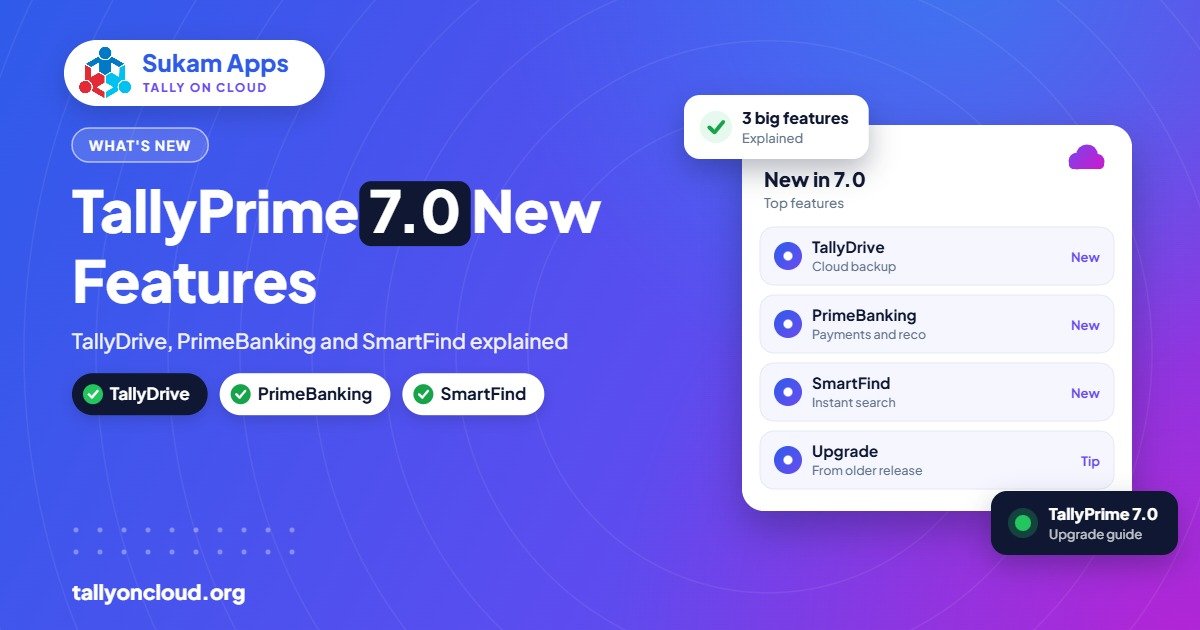
The headline TallyPrime 7.0 features are TallyDrive (cloud backup with automatic background backups), PrimeBanking (paying vendors and reconciling the bank from inside TallyPrime), SmartFind (search any master or transaction from any screen) and the Bharat Connect for Business plug-in for invoice-to-payment flow. TallyPrime 7.0 was released on 19 December 2025, and you need an active TSS to get it on an existing licence. For most businesses, TallyDrive and SmartFind alone make the upgrade worth it.
Below, we explain each feature in plain language, who gains the most, and how to upgrade without disrupting your books.
TallyPrime 7.0 at a Glance
| Feature | What it does | Who benefits most |
|---|---|---|
| TallyDrive | Cloud backup plus automatic background backups; restore earlier versions | Every business, especially those with no IT person |
| PrimeBanking | Pay vendors from TallyPrime, track UTR status, auto-reconcile with bank statements | Businesses with many vendor payments |
| SmartFind | Search masters and transactions from any screen, with partial or approximate spelling | Accountants with large ledgers and stock lists |
| Bharat Connect for Business | Plug-in for invoice-to-payment flow with automatic purchase entries | Buyers and sellers wanting faster B2B payment cycles |
TallyDrive: Backups You Don’t Have to Remember
Ask most small businesses when they last took a Tally backup and you will get an uncomfortable pause. TallyDrive tackles this directly.
What it does
- Takes automatic backups in the background while you work, so nobody has to remember.
- Lets you store backups on TallyDrive (Tally’s cloud storage), on a local drive, or both.
- Lets you restore an earlier version, which is useful when a mistake is noticed days later.
- Includes free TallyDrive storage for licences with active TSS.
Who benefits
A Jalandhar hand-tools manufacturer with one accountant and an office PC is exactly the kind of business that has historically lost data to a crashed hard disk or a virus. With background backups, that risk drops considerably.
How it fits with Tally on Cloud
If you already use Tally on Cloud, your provider should be taking daily server backups. TallyDrive adds a second, independent copy managed by Tally. Two backups in two different places is a sensible approach; we cover how to combine them in our post on TallyDrive and auto backup.
PrimeBanking: Pay and Reconcile Without Leaving Tally
Before 7.0, a typical payment run looked like this: prepare a list in Tally, log in to net banking, type or upload the payments, wait, download the statement, and reconcile line by line. PrimeBanking brings this into TallyPrime.
What it does
- Lets you initiate vendor payments directly from TallyPrime for supported banks.
- Shows payment status with UTR details, so you can tell a supplier exactly when money left.
- Auto-reconciles payments and receipts against your bank statement.
Who benefits
A Ludhiana hosiery unit paying yarn suppliers, dyers and job workers every week saves hours on both payment and reconciliation. Bank reconciliation is one of the most postponed jobs in small accounts departments, so automating it improves the accuracy of your books all year, not just at year-end.
What to check first
- Whether your bank is supported for connected payments.
- Who in your team should be allowed to initiate payments; set TallyPrime user rights accordingly.
- Your internal approval process, so the convenience does not bypass checks.
SmartFind: Search Like You Search the Web
SmartFind is a small-sounding feature that changes daily work more than anything else in this release.
What it does
- Search for ledgers, stock items, and transactions from any screen.
- Works with partial or approximate spelling, so “Gurpreet Trd” still finds “Gurpreet Traders”.
- Searches across all loaded companies.
Who benefits
An Amritsar textile wholesaler with thousands of items named by quality, colour and width, or a Baddi pharma distributor with long product names and similar-sounding brands, will find items far faster. It is also a big help for CA firms that open many client companies at once, and for people using Tally on a mobile phone where typing exact names is slow.
Bharat Connect for Business Plug-in
This plug-in connects TallyPrime with the Bharat Connect for Business network, supporting an invoice-to-payment flow between businesses. A practical advantage is that purchase entries can be created automatically from invoices received, reducing manual entry.
Who should look at it: businesses with regular B2B trade where both buyer and seller want faster, cleaner payment cycles. It is a plug-in, so you can adopt it when your trading partners are ready rather than on day one.
Should You Upgrade to TallyPrime 7.0?
For most businesses, yes, provided your TSS is active. A quick decision guide:
- Upgrade soon if you have no reliable backup routine, if you reconcile banks manually, or if you have large masters.
- Upgrade after testing if you rely on several custom TDL add-ons, since each should be checked for compatibility.
- Renew TSS first if it has lapsed; new releases need active TSS. See our TSS renewal guide.
A further release, TallyPrime 7.1, is in beta and rolling out with more banking and GST improvements. You can read about it in TallyPrime 7.1: what’s new. Upgrading to 7.0 now does not stop you moving to 7.1 later.
How to Upgrade Safely: Step by Step
- Take a full backup of all companies and copy it to a separate drive or location.
- Check TSS status in TallyPrime under your licence details.
- List your TDL add-ons and ask each developer whether they work with 7.0.
- Pick a quiet day, not a GST due date or month-end.
- Download TallyPrime 7.0 from the official Tally website and install it.
- Open each company and follow the data migration prompts if shown.
- Verify key figures: trial balance, stock summary and party outstanding should match your pre-upgrade backup.
- Configure TallyDrive backup locations and schedule, and set up PrimeBanking if your bank is supported.
- Brief your team on SmartFind; it takes five minutes and saves time every day.
If you are on Tally on Cloud
Your provider should handle most of this: taking a server snapshot, installing 7.0, testing TDLs and migrating data during off-hours, so every user gets the new release at the same time. That consistency matters in multi-user setups, where mixed releases can cause problems.
Common Upgrade Mistakes to Avoid
Most upgrade problems we are called in to fix come from the same handful of shortcuts:
- Upgrading one PC in a multi-user office. When the accountant’s machine is on 7.0 and the billing counter is still on an older release, users cannot work on the same company smoothly. Upgrade every machine together, or move to a single cloud server where only one installation exists.
- Skipping the backup because “it’s only an update”. Data migration changes your company files. Without a pre-upgrade copy, a failed migration can cost days.
- Forgetting the add-ons. A custom invoice format or a GST utility that silently stops working is often discovered only when a customer complains about a bill.
- Leaving TallyDrive unconfigured. The feature is there, but you still need to choose where backups go and confirm the first one completes.
- Not telling the team. A two-minute briefing on SmartFind and the new backup prompts prevents a week of “something has changed” phone calls.
Frequently Asked Questions
When was TallyPrime 7.0 released?
TallyPrime 7.0 was released on 19 December 2025.
Is TallyPrime 7.0 a free upgrade?
It is available to licences with active TSS (Tally Software Services). If your TSS has expired, you need to renew it to upgrade.
Is TallyDrive storage free?
Licences with active TSS get free TallyDrive storage. You can also choose to store backups locally instead of, or as well as, on TallyDrive.
Does PrimeBanking work with every bank?
Connected payments work with supported banks only. Check your bank’s support before planning your payment process around it.
Will my TDL add-ons work in TallyPrime 7.0?
Many will, but test each one before upgrading your live data. Your TDL developer or Tally on Cloud provider can confirm compatibility.
Want TallyPrime 7.0 without the upgrade stress?Sukam Apps upgrades, tests and supports TallyPrime on Cloud with daily backups and your own licence, with on-site help in Punjab, Chandigarh Tricity, Haryana, Delhi NCR and Himachal, and remote support across India through a dedicated account manager. WhatsApp +91 99142 49191 for a free demo.





