
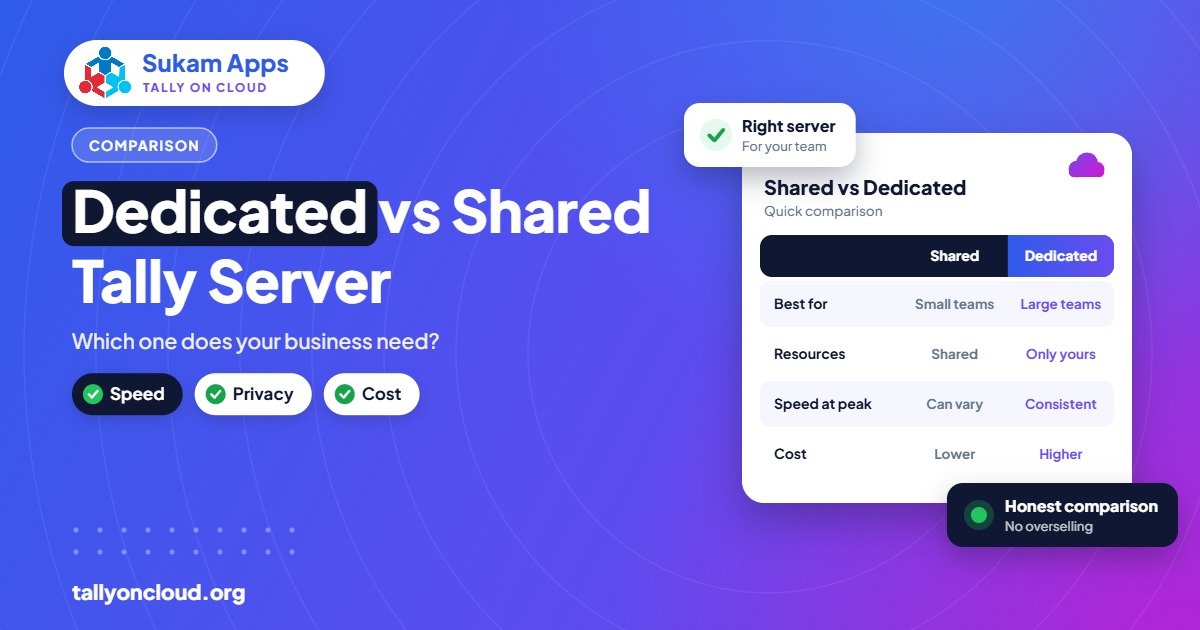
A dedicated Tally server is a cloud machine that runs only your company’s TallyPrime and software, while shared hosting puts several clients on one well-managed server, each in a separate, locked-down account. Most businesses with up to about 8–10 users and only TallyPrime to run are well served by a good shared plan. A dedicated server starts to make sense when you have many users, heavy data, other software that must run beside Tally, or strict rules about who else can sit on the same machine.
The choice is less about “better” and more about fit. Below we explain what actually differs between the two, the signs that you have outgrown shared hosting, and how to think about cost without getting lost in plan names.
What “Shared” and “Dedicated” Really Mean
Both options run your licensed TallyPrime on a Windows server in a data centre. Your staff connect through Remote Desktop, a RemoteApp shortcut or a browser, and see Tally as if it were installed on their own computer. The difference is who else is on that server.
Shared Tally hosting
One powerful server hosts several client companies. Each client gets separate Windows user accounts, a separate data folder and permissions that stop one client from seeing another’s files. The provider manages Windows updates, antivirus, backups and Tally installation for everyone together. Because the server’s cost is spread across many users, the per-user price is low. Most providers charge roughly ₹400–₹700 per user per month for shared plans.
Dedicated Tally server
A dedicated server (often a private virtual machine, sometimes called a VPS or VM) runs only your business. The CPU, memory and disk allocated to it are yours alone. You can have other software installed, set your own security rules and, if you want, get administrator access. The provider still usually handles monitoring, backups and patching, but the machine is configured around your needs instead of a common template.
Dedicated Tally Server vs Shared Hosting: Side-by-Side
| Point | Shared hosting | Dedicated Tally server |
|---|---|---|
| Who uses the server | Several client companies, isolated by accounts and permissions | Only your company |
| Performance | Good for normal use; can dip if the provider overloads the server | Predictable, since resources are reserved for you |
| Extra software | Usually limited to TallyPrime and approved TDLs | Can run other accounting, ERP, Excel, utilities as agreed |
| Security rules | Common policy for all clients | Custom rules, such as allowing logins only from your office IPs |
| Admin access | No | Possible, if you want it |
| Best user range | 1 to roughly 8–10 users | 10+ users, or fewer users with special needs |
| Cost pattern | Per user per month | Fixed server cost plus management; cheaper per user only at higher counts |
When Shared Hosting Is the Right Choice
For a large share of small and mid-sized businesses, shared hosting is not a compromise. It is simply the sensible plan. It fits well if:
- You have one to eight people using Tally, such as an owner, two accountants and a couple of billing staff.
- You use TallyPrime plus a few common TDLs, and nothing else needs to run on the server.
- Your data is of normal size, for example a trading firm or a CA practice with dozens of small client companies.
- You want a predictable monthly bill that grows or shrinks as you add or remove users.
The key is the quality of the shared server, not the label. Ask the provider how many users they place on one server and how they watch load. If you want to test this practically, our Tally on Cloud demo checklist lists what to try during a trial.
Signs You Need a Dedicated Tally Server
1. Your user count is growing past ten
Once 12, 15 or 25 people are posting vouchers at the same time, reserved resources start to matter. Month-end, GST return week and the financial-year close are when everyone works at once. On a dedicated server, those peaks are your own and do not overlap with another client’s peak.
2. Your data is large
A Mandi Gobindgarh steel trader with lakhs of vouchers a year, or a distributor with thousands of stock items and batch-wise records, will notice slower report generation if the disk and memory are shared. Heavy reports such as stock ageing, outstanding across all parties or a full-year ledger export run noticeably steadier on reserved resources.
3. You need other software on the same machine
Some businesses run a second application that reads Tally data, such as a reporting tool, a custom integration, a payroll utility or an older accounting package kept for past years. Shared servers usually cannot install client-specific software because it affects everyone. A dedicated server can.
4. Policy, audit or group requirements
Some companies, especially larger groups, export houses or firms with outside investors, prefer that their accounting server is not shared with any other business. They may also want logins allowed only from certain office IP addresses. These rules are straightforward on a dedicated server and usually not offered on shared plans.
5. Several companies and branches with separate teams
A group with a manufacturing company, a trading company and a branch office, each with its own staff, can organise users, folders and permissions more cleanly on its own server. Read more in our post on Tally on Cloud for multi-branch businesses.
Performance: What Actually Makes Tally Feel Fast
Many people move to a dedicated server expecting Tally to become dramatically faster. Sometimes it does; often the real bottleneck is elsewhere. Tally on Cloud speed depends on four things:
- Your internet line. Remote Desktop needs little bandwidth but stable, low-latency connections. A flaky line feels slow on any server. See what internet speed you need.
- Server resources per active user. This is where dedicated helps, if the shared server you are on is crowded.
- Data size and TDLs. A bloated company with years of data in one file is slow everywhere. Splitting financial years or optimising TDLs can help more than new hardware.
- Printer redirection. Badly configured printer redirection can make the session lag on login and while printing.
So before upgrading, check whether the slowness is on the server side at all. Our post on fixing slow Tally on Cloud walks through how to tell.
Isolation and Security
On a properly managed shared server, other clients cannot see your data. Each client’s folders are locked to its own accounts, users cannot browse the server’s drives, and the desktop is restricted to Tally and a few allowed tools. This is adequate for most businesses.
A dedicated server removes even the theoretical “neighbour” risk because nobody else logs into the machine. It also lets you choose stricter controls: allow access only from fixed office IPs, set your own password policy, keep separate backup schedules, or restrict which staff can export data. Either way, the basics still matter most: strong passwords, no shared logins, and versioned daily backups. Our article Is Tally on Cloud safe? covers these in detail.
How to Think About Cost
We will not throw invented numbers at you, because dedicated server pricing depends on CPU, memory, storage, Windows licences, Remote Desktop licences and management effort. The logic, though, is simple:
- Shared plans scale linearly. Five users cost roughly five times one user.
- Dedicated servers have a fixed base cost. Below a certain number of users, that base makes each user expensive. Above it, the cost per user falls, and at higher counts it can be equal to or lower than shared pricing.
- Licences remain separate. In both cases you use your own TallyPrime licence: Silver for a single user, Gold for multiple users. If you are unsure which you need, read TallyPrime Silver vs Gold.
A useful exercise: list how many users you have today, how many you expect in two years, and what other software must run alongside Tally. Share it with your provider and ask for both options quoted on the same basis. The crossover point becomes clear quickly.
A Practical Way to Decide
- Count users who work in Tally at the same time on a busy day, not just total logins.
- Note the size of your largest company data folder and how many years it holds.
- List every TDL and any other software that needs to touch Tally data.
- Write down any policy requirement: IP restriction, no shared servers, specific backup retention.
- If everything points to “small and simple”, start on shared hosting. A good provider can move you to a dedicated server later without changing how your staff log in.
That last point matters. Starting shared and moving to dedicated when you grow is normal and low-risk, as long as the provider handles the migration and backups properly. If you ever need to change providers instead, see how to switch your Tally cloud provider without losing data.
What Is a Tally Cloud Server?
A Tally cloud server is a remote Windows server in a data centre that runs your licensed TallyPrime, stores your company data and lets your users log in over the internet through Remote Desktop or a browser. Instead of keeping a PC or server in your office, the provider looks after the hardware, power, internet uplink, security patches and backups. You and your team simply connect from office, home or a branch.
A Tally cloud server can be shared (several small businesses on one well-managed server, each fully separated) or dedicated (a whole server only for your company). For most firms with 2 to 5 users, shared hosting gives the best value. When user count, data size or custom TDLs grow, a dedicated Tally cloud server is the next step. See Sukam Apps pricing for shared plans, or book a demo to discuss a dedicated server.
Considering renting your own server instead? Read Tally on AWS to see what a do-it-yourself cloud server involves, or follow our TallyPrime on cloud setup guide.
Frequently Asked Questions
What is a Tally cloud server?
It is a remote server in a data centre that runs TallyPrime and your company data, so your users can work from anywhere with an internet connection while the provider handles hardware, security and backups.
Do I need my own Tally cloud server?
Not usually. Small teams do well on a shared Tally cloud server. A dedicated server makes sense for larger teams, heavy data or many custom TDLs.
Can other companies see my Tally data on a shared server?
Not on a properly configured server. Each client has separate Windows accounts and folder permissions, and users cannot browse other clients’ folders. A dedicated server goes further by having no other clients on the machine at all.
How many users need a dedicated Tally server?
There is no fixed rule. Many businesses stay on shared hosting comfortably up to around 8–10 concurrent users. Beyond that, or with large data, heavy TDLs or extra software, a dedicated server is usually worth comparing.
Will a dedicated server make Tally faster?
It gives predictable performance because resources are reserved for you. But if your slowness comes from a weak internet line, a large data file or printer redirection, a dedicated server alone will not fix it.
Do I need a different Tally licence for a dedicated server?
No. You use the same TallyPrime licence either way. Multi-user access needs a Gold licence whether the server is shared or dedicated.
Can I move from shared to dedicated later?
Yes. The provider copies your data, TDLs and settings to the new server and moves the licence. Your staff usually keep the same way of logging in.
Get the Right Plan, Not the Biggest One
Sukam Apps has been setting up business software since 2011 and offers both shared and dedicated Tally on Cloud setups. We look at your users, data and software first, then recommend what fits. We set up and train on-site in Punjab, Chandigarh Tricity, Haryana, Delhi NCR and Himachal, and remotely across India, with a dedicated account manager for every client. WhatsApp us on +91 99142 49191 for a free demo and a quote for your user count, or contact us here.





